
Audiobook Percentage Calculator
Enter your audiobook's length and where you are to get your exact percentage, the time left, and how long that takes at your speed.
0.0%
Enter the book length and your position to see how far you are.
The calculation runs in your browser. We don't save what you enter.
How do you calculate audiobook percentage?
Divide the time you've listened by the book's total length, then multiply by 100. Convert both times to minutes first, so hours and minutes don't get mixed up.
Percent complete = time listened ÷ total length × 100
Example
A book runs 5 h 34 min (334 minutes) and you're at 3 h 15 min (195 minutes):
- 195 ÷ 334 = 0.584
- 0.584 × 100 = 58.4% complete
- 334 − 195 = 139 minutes, or 2 h 19 min left at 1×
- At 1.5× that's about 1 h 33 min of listening
If your app shows time left
Subtract the time left from the total first: (334 − 139) ÷ 334 × 100 = 58.4%. Some apps show time left at your playback speed. If the number changes when you change speed, multiply it by your speed to get the real remaining length. The calculator does this for you when you tick the box.
Books split into parts and converting progress to a page number are covered in our guide: how to track audiobook progress.
How to Use the Audiobook Percentage Calculator
Follow these simple steps using mobile Audible app screenshots to track your audiobook progress effectively
Open Your Audible Mobile App
Launch the Audible app on your mobile device and navigate to your library. You'll see all your audiobooks with their cover images and duration information.
💡 Tip: Make sure you're logged into your Audible account to sync your progress
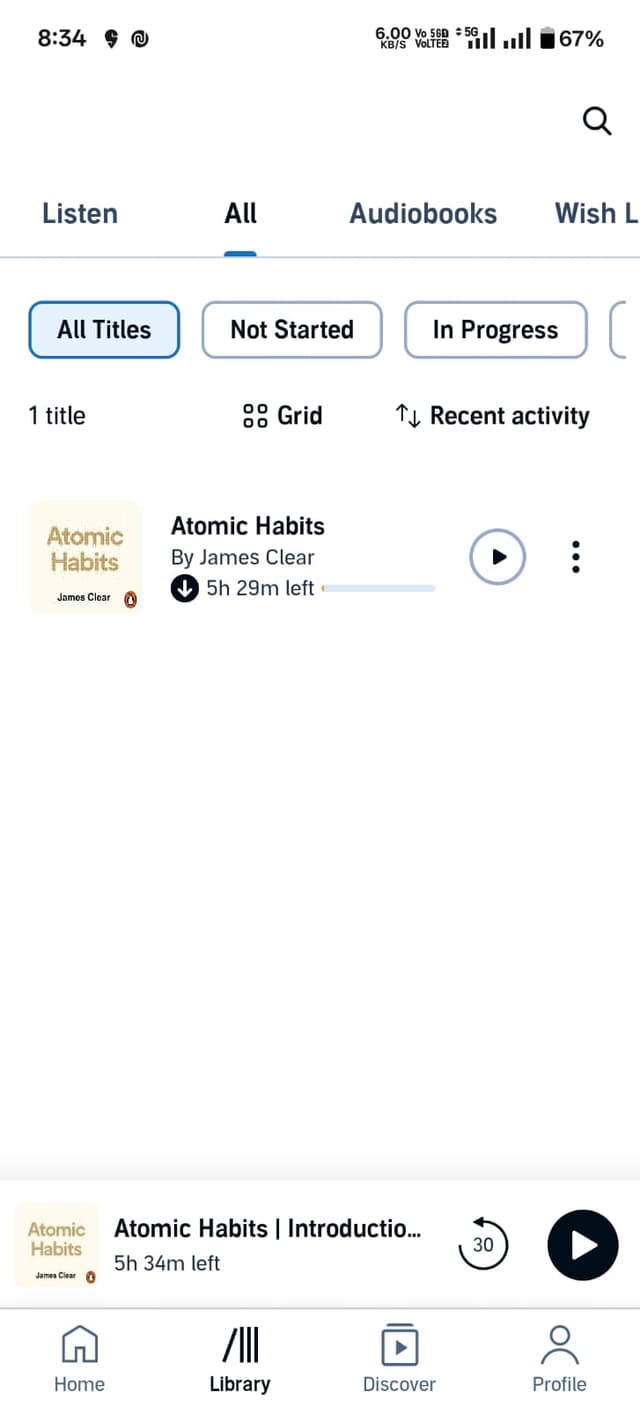
📱 Mobile Library
Tap your book
Find the Total Length
Tap on your audiobook to open the details page. Here you'll find the complete information including the total duration.
- Book Details: Total length displayed prominently
- Duration Format: Shows as "5 hrs and 34 mins"
- Easy to Spot: Usually below the book title
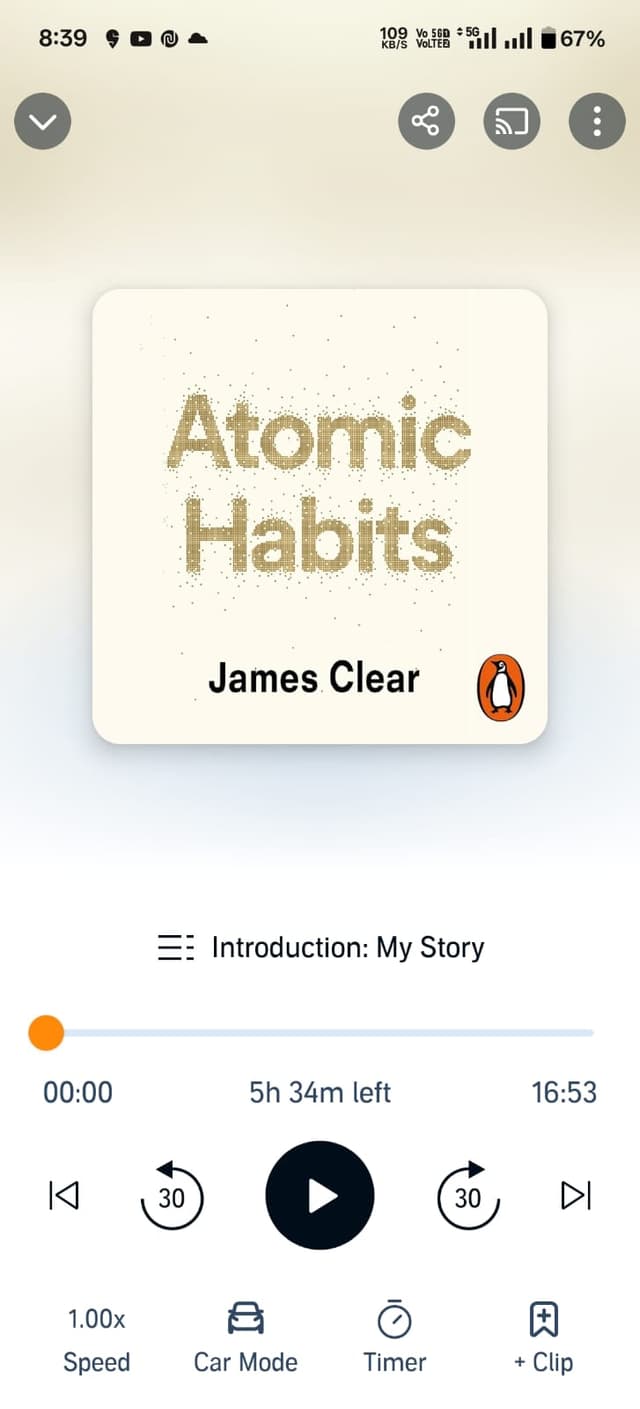
📖 Book Details
Total: 5h 34m
Find Your Current Position
Start playing your audiobook to access the player interface. The current position is clearly displayed on the progress bar.
- Progress Bar: Shows current time (e.g., "3:15:30")
- Time Display: Current / Total format
- Visual Progress: Orange progress bar shows completion
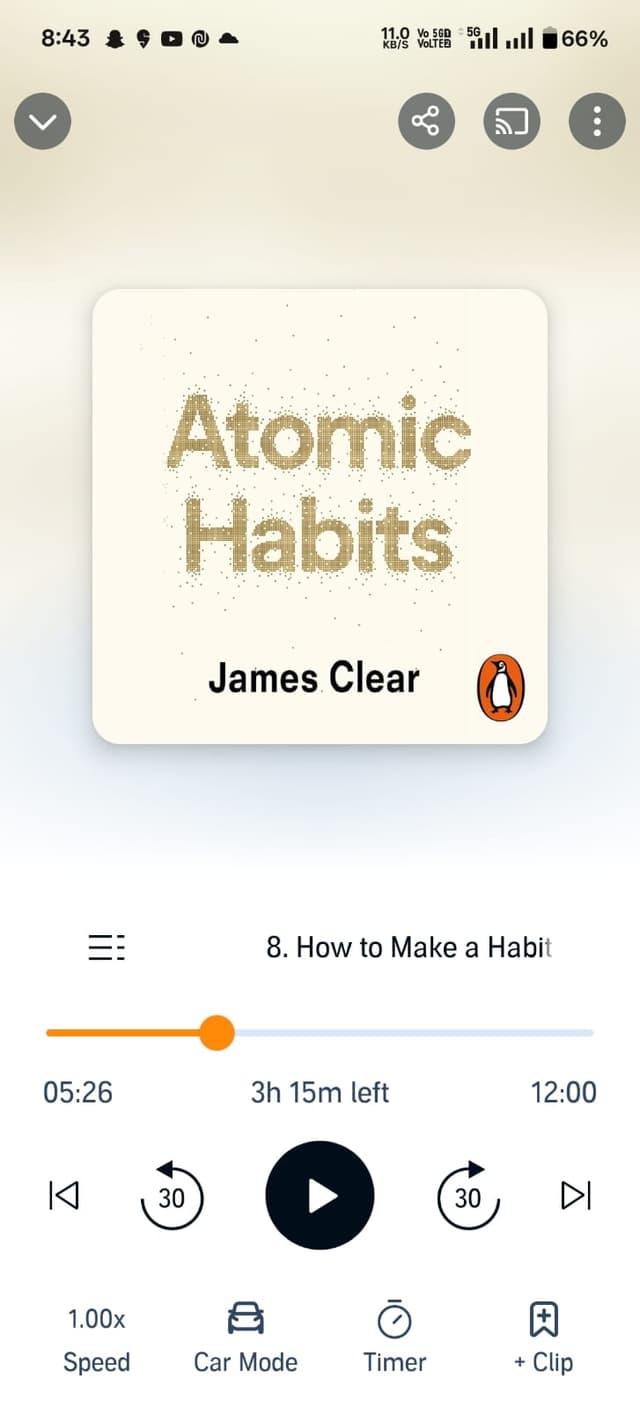
🎵 Player
Current: 3h 15m
Calculate with Our Tool
Enter the values you found in steps 2 and 3 into our calculator above and get instant results!
Works with Any Audiobook App!
While we used Audible as an example, our calculator works with any audiobook app. The process is similar - just find the total length and your current position!
What people use it for
Book club deadlines
Check whether you'll finish before the meeting, and work out how many minutes a day you need at your speed.
Goodreads and StoryGraph updates
Both track reading by percentage or page. Get the exact percentage to log, or multiply it by the page count for a page number.
Library loans
Library apps like Libby lend books for a set number of days. The time left at your speed tells you whether you'll finish before the loan ends.
Switching apps and devices
If you listen on a phone, in the car and on a speaker, note your position and check your overall progress here.
Frequently asked questions
Do I need an account to use the calculator?
No. The calculator is free and works without signing up. The calculation runs in your browser, and we don't save what you enter.
How precise is the result?
It uses hours, minutes and seconds and shows the percentage to one decimal place. Your app may round to whole numbers or count the opening and closing credits, so a small difference is normal.
Does playback speed change my percentage?
No. Your percentage depends only on your position in the book. Speed changes how long the rest takes, which the calculator shows as the time left at your speed.
My app only shows time left. Can I still use it?
Yes. Switch the calculator to "Time left" and enter what your app shows. If that number changes when you change speed, tick "My app shows time left at this speed".
Does Audible show a percentage?
Audible and most other apps show your progress as time listened, time left or a progress bar. When you need an exact percentage, for a book club or a reading app, enter those times here.
Is there a limit on audiobook length?
No. It works for a 30-minute story or a 50-hour fantasy book, from any app or file: Audible, Spotify, Libby, Apple Books, MP3 or M4B.
Expert Audiobook Insights
Discover expert tips, comprehensive guides, and cutting-edge insights about audiobook listening to transform your experience

Our Audiobook Tools
Track your progress and optimize your listening experience with our free audiobook calculators
Audiobook Percentage Calculator
Easily track your progress through any audiobook
Enter your current time and the total length of your audiobook to instantly calculate your completion percentage.
Audiobook Speed Calculator
Optimize your listening time with our speed calculator
Find out how much time you'll save by adjusting your listening speed, or calculate the perfect speed to finish by a deadline.